
Array Flatten in JavaScript
What nested arrays are ?
A nested array is a data structure where elements of an array can themselves be arrays.
Accessing Nested Arrays
const data = [10, 20, [30, 40]];

console.log(data[2]);      // [30, 40]
console.log(data[2][0]);   // 30
console.log(data[2][1]);   // 40
Why Use Nested Arrays?
Represent matrix (2D arrays)
Store grouped data
Useful in:
Games (grid systems)
Tables / rows & columns
Complex data structures
Why flattening arrays is useful
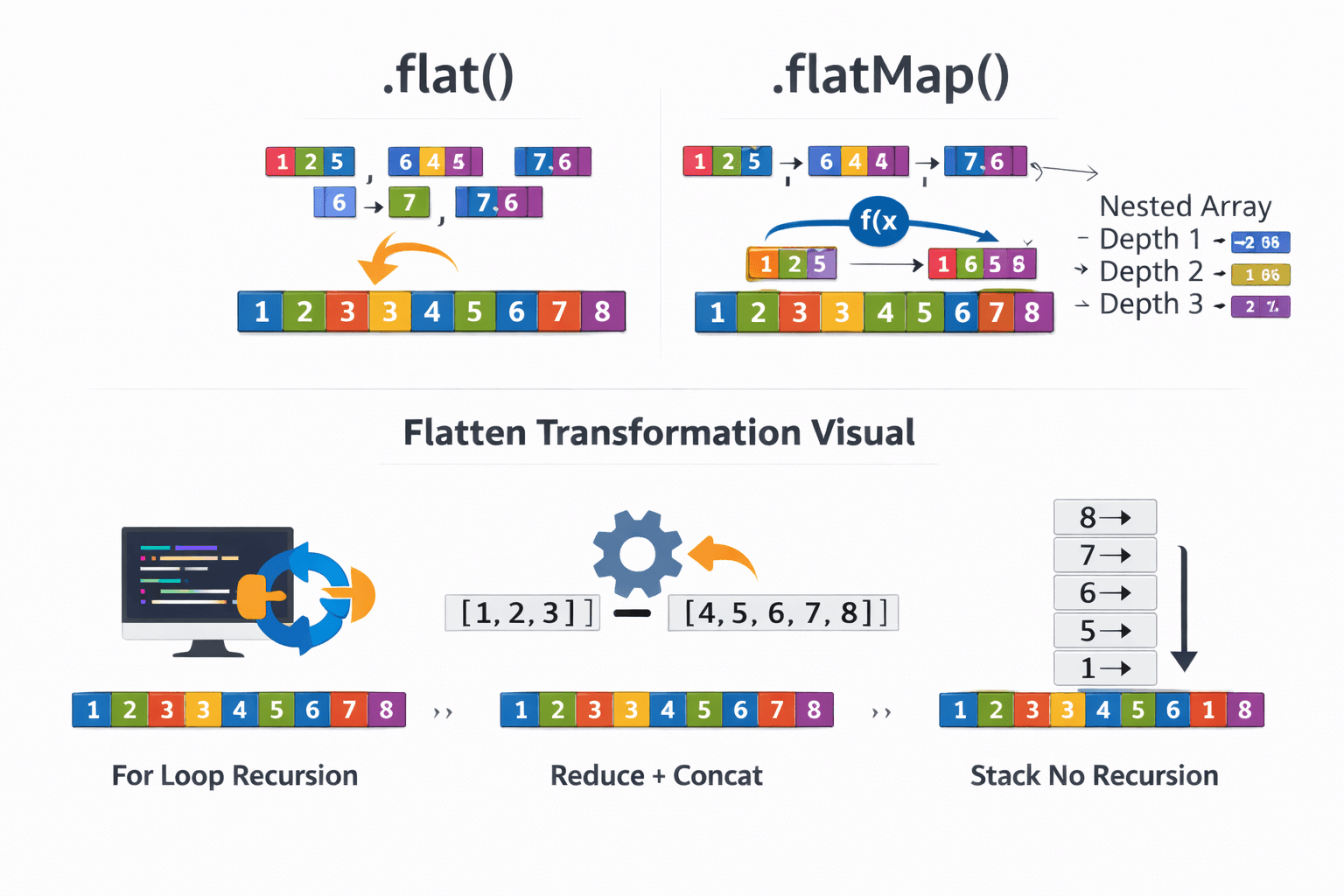
Flattening means converting a nested array (arrays within arrays) into a single-level array.
const nested = [1, [2, [3, [4]]]];
const flat = nested.flat(Infinity); // [1, 2, 3, 4]
Why Flattening Is Useful
Simplifies data access: You can loop through or map over elements without checking for nested levels.
Improves readability: Cleaner structure makes code easier to understand and maintain.
Enables transformations: Useful when combining
.map()and.flat()via.flatMap()for efficient data reshaping.Prepares data for APIs/UI: Many APIs return nested arrays; flattening helps normalize data for display or further processing.
Reduces bugs: Avoids errors from unexpected nesting when performing operations like filtering or reducing.

So instead of dealing with multiple levels, you get a single, straightforward list.
Different approaches to flatten arrays
1. Using Array.prototype.flat() (Modern & Simple)
const arr = [1, [2, [3, [4]]]];
console.log(arr.flat(2));       // [1, 2, 3, [4]]
console.log(arr.flat(Infinity)); // [1, 2, 3, 4]
2. Using Array.prototype.flatMap() (Modern & Simple)
Combines mapping and flattening (only one level deep).
const words = ["hello", "world"];
const chars = words.flatMap(word => word.split(""));
console.log(chars); // ["h","e","l","l","o","w","o","r","l","d"]
- Best for: Transforming and flattening in one step
3. Using for loop recursion
function flattenArray(arr){
  if(!Array.isArray(arr) || arr.length === 0){
    return []
  }
  let resultArray = []
  for(let i =0; i< arr.length; i++){
    let element = arr[i];
    if(Array.isArray(element)){
      resultArray = resultArray.concat(flatArray(element))
    }else{
      resultArray.push(element)
    }
  }
  return resultArray

}


console.log("flattenArray", (flattenArray([1, 2, [3, 4, 5, [6, [8]]]])));
4. Using reduce + concat
function flattenArray(arr){
  if(!Array.isArray(arr) || arr.length === 0){
    return []
  }

  return arr.reduce((acc, curr)=> {
    if(Array.isArray(curr)){
      return acc.concat(flattenArray(curr))
    }else{
      return acc.concat(curr)
    }
  },[])

}
5. Using without recursion
function flattenArray(arr){
  if(!Array.isArray(arr) || arr.length === 0){
    return []
  }

  let stack = [...arr];
  let res = []

  while(stack.length){
    let cur = stack.pop();
    if(Array.isArray(cur)){
      stack.push(...cur)
    }else{
      res.push(cur)
    }
  }
  return res.reverse()
}
Real-World Examples
API responses: Cleaning nested JSON data before analysis.
Form inputs: Flatten grouped values for validation.
Data pipelines: Streamline mapping, filtering, and reducing.
UI components: Render nested lists as flat menus or tables.