
Array Methods You Must Know
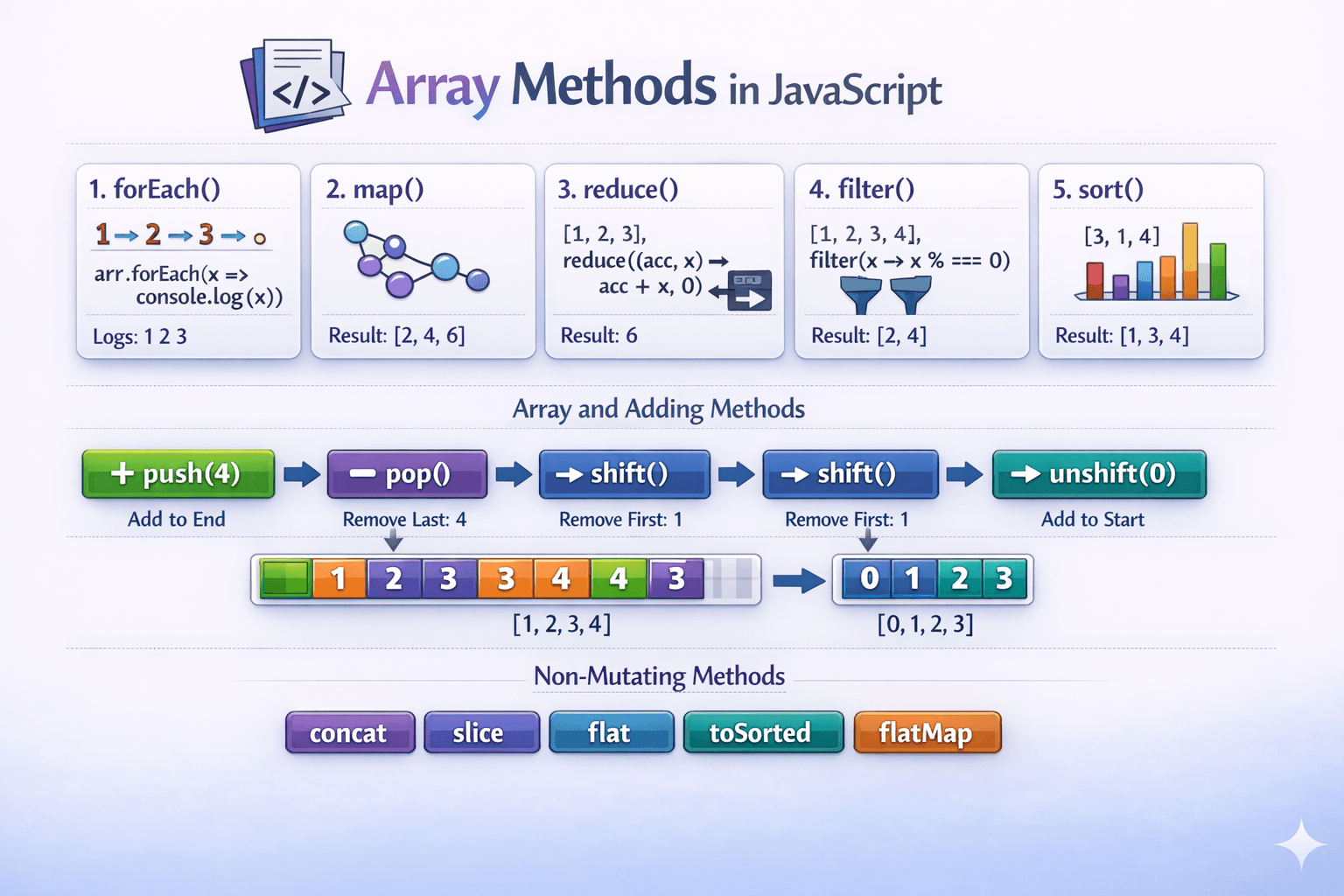
1 .forEach()
1.Method used to iterate over elements in an array.
2.Implicitly return undefined.
3.Mainly used for performing side effects (like logging data or updating external variables).
4.There is no way to stop or break the loop (unlike a for or while loop).
5.Expects a synchronous function - It does not await promises
const movieBookings = [
{ movie: "Interstellar", price: 10, premium: true, qty: 2 },  { movie: "Inception", price: 8, premium: false, qty: 3 },  { movie: "Oppenheimer", price: 12, premium: true, qty: 1 },  { movie: "Avatar 2", price: 9, premium: false, qty: 4 },  { movie: "The Dark Knight", price: 11, premium: true, qty: 2 },
];

let bookMovie = []movieBookings.forEach((order, index){  console.log(order);  bookMovie.push(order.dish);return bookMovie })
We can create our own custom polyfill for forEach
Array.prototype.customForeach = function(callback, thisArg){ if(typeof callback !== "function"){ throw new TypeError(callback + "is not a function") } const array = Object(this) const len = array.length >>> 0; for(let i =0; i< len; i++){ if(i in array){ callback.call(thisArg, array[i], i , array) } }}movieBookings.customForEach((item)=> console.log(item.qty))
2 .map()
Method used to iterate over elements
Return the new array
perform any operation, conditional, key values
Does not mutate the original array
Best works on UI rendering
Help to extract specific key
const bookMovies = movieBookings.map((movie)=>{ const movieName = movie.movie const total = movie.price * movie.qty; return {movieName, total}})
Custom polyfill for map if an old browser does not support it
Array.prototype.customMap = function(callback, thisArg){  if(this === null) throw new TypeError('this is null or not defined');  if(typeof callback !== "function") throw new TypeError(callback + "is not a function")  let resultArray = new Array(this.length);  for(let i = 0; i< this.length; i++){    // handles sparse arrays
if(i in this){
    resultArray = callback.call(thisArg, this[i], i, this)
}}

return resultArray
}
3 .reduce()
Does not mutate original array - return new array
A method used to perform aggregations like sums, averages, or percentages.
Used to group or categorize data
Ideal for finding maximum and minimum value (e.g.. the costliest or cheapest entry)
const movieGroup = movieBookings.reduce((acc, curr)=>{
  const category = curr.premium ? "premimun" : "standard";
  acc[category].push(curr.movie);
  return acc
},{premimun:[], standard:[]});
Custom polyfill for reduce if an old browser does not support it
Array.prototype.myReduce = function(callback, initialValue){
  if(this.length ===0 || initialValue === "undefined"){
    throw new TypeError('Reduce of empty array with no initial value')
  }
  const accumulator = initialValue !== "undefined" ? initialValue : this[0]
  const startIndex = initia.
}
4 .filter()
Iterate over each element of array
Return a new array itself-
Return the truthy or false value
Does not mutate the original array
const filterSpicyOrder = orders.filter((item)=> {
  return !item.spicy
})
Custom polyfill for filter if an old browser does not support it
Array.prototype.myFilter = function(callback, thisArg){
  if(typeof callback !== "function"){
    throw new Error(callback + "is not a function")
  }
  // Convert 'this' to an object (handles primitives)
  const array = Object(this)
  // Get and store the length (ensures it's a valid number)
  const len = array.length >>> 0
  const result = [];
  for(let i = 0; i< len; i++){
    //Check if the index exists in the original array (sparse array handling)
    if(i in array){
      const ele = array[i]
      if(callback.call(thisArg, ele, i, array)){
        result.push(ele)
      }
    }
    // Call the callback with 'this' and arguments

  }
  return result
}
const movieNames = movieBookings.customMap((movie)=>{
  return movie.movie
})
5 .push()
The push() method allows us to append an item to the end of an array.
movieNames.push("Natrang")
6 .pop()
The pop() method allows us to remove the last element from an array.
movieNames.pop()
7 .shift()
The shift() method allows us to remove the first element from an array.
movieNames.shift()
8 .unshift ()
The unshift() method allows us to insert an element at the beginning of an array
movieNames.unshift("Natsamrat")
9 .sort()
The unshift() method allows us to insert an element at the beginning of an array
movieNames.sort((a,b)=> a.price - b.price)
10 Non Mutating Methods
concat
slice
flat
toSorted
flatmap