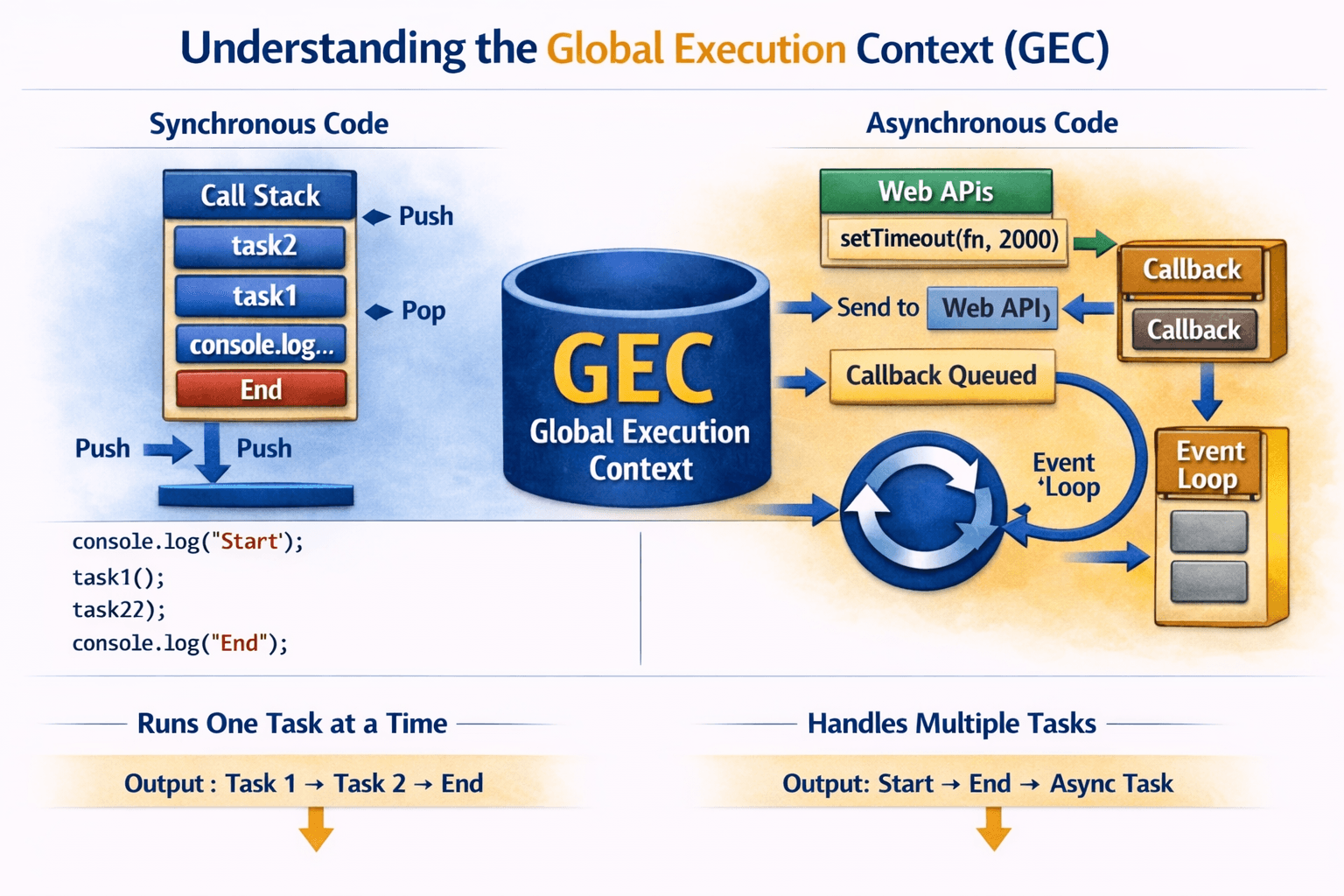

Callbacks in JavaScript
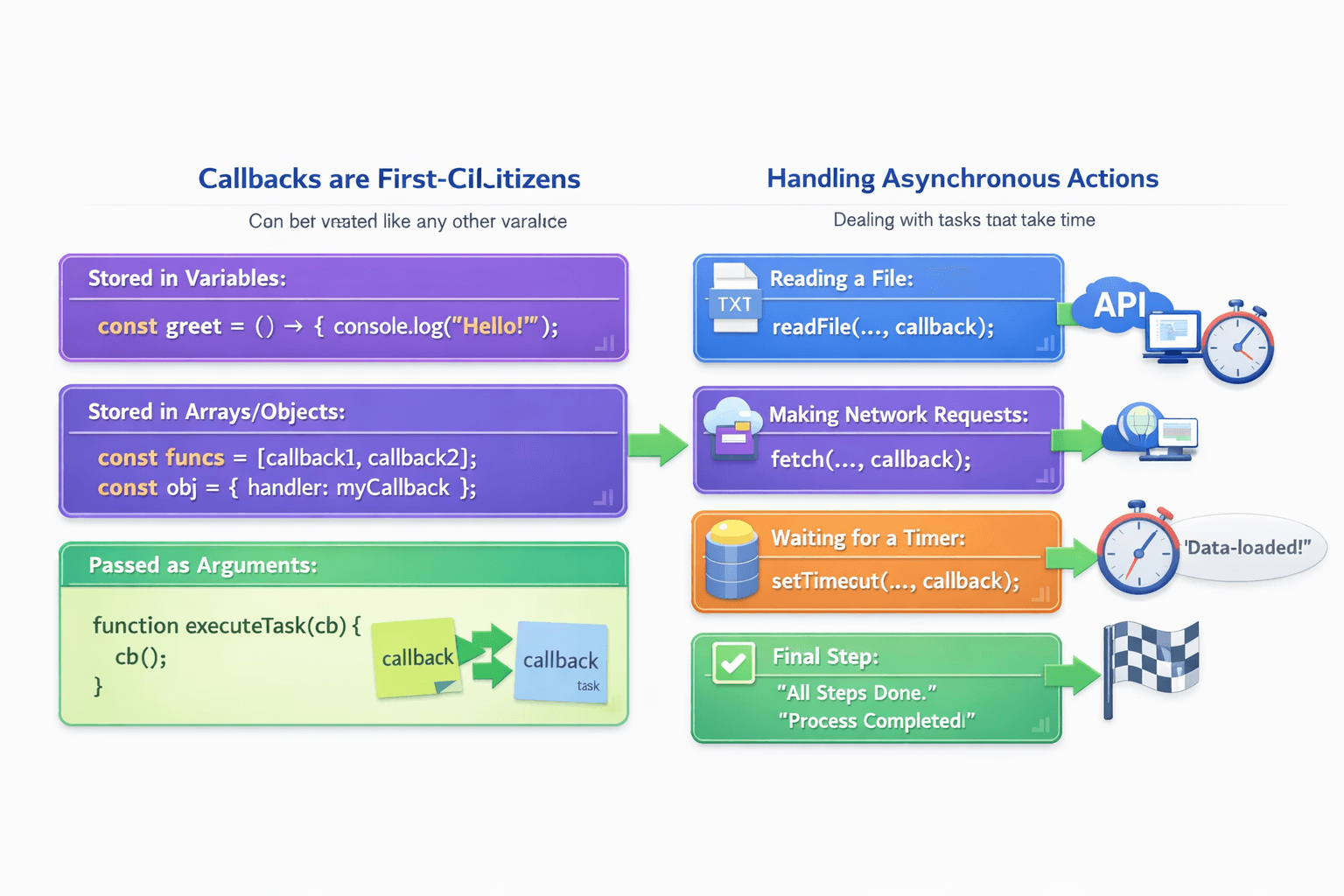
Functions as Values (The Foundation)
Before we talk about "callbacks," we need to understand that JavaScript treats functions as "first-class citizens." This means you can handle a function just like any other piece of data.
You can:
Store a function in a variable.
Store a function in an array or object.
Pass a function as an argument to another function.
// 1. Define a simple function (a "recipe" for an action)
function sayHello() {
    console.log("Hello there!");
}

// 2. Define another function that takes a function as an argument
function greeter( myFunction ) {
    console.log("About to run the passed function...");
    myFunction(); // 3. Call the function that was passed in
    console.log("Finished running the passed function.");
}

// 4. Pass 'sayHello' to 'greeter'. Notice we are NOT using parentheses 'sayHello()'.
//    We are passing the function itself, just like a variable.
greeter(sayHello);

// Output:
// About to run the passed function...
// Hello there!
// Finished running the passed function.
In this simple example, sayHello is a callback function. It's a function we "call back" later inside greeter.
What is a Callback Function?
A callback function is simply a function that is passed into another function as an argument. The "host" function can then execute (or "call back") the passed-in function at an appropriate time.
Think of it like Ordering Pizza Delivery:
You call the pizza place and place your order.
They ask for your phone number—that’s the callback.
You go about your day (asynchronous waiting).
When the pizza is ready, they call you back to deliver it.
In JavaScript terms: You pass a function (your phone number) into another function (the pizza order system), and it gets executed later when the task is complete.
Think of it like Laundry Service Pickup
You schedule a laundry pickup and give them your address.
The laundry van comes, picks up your clothes, and leaves.
Later, when your laundry is done, they return it to your address.
Your address is the callback—a way for the service to know where to respond once the task is complete.
In JavaScript terms: You pass a function (your address) into another function (laundry service), and it gets called when the task (washing clothes) is finished.
Why Callbacks are Used in Asynchronous Programming
JavaScript is single-threaded and non-blocking. Callbacks allow:
Reading a file from a hard drive.
Making a network request to an API.
Waiting for a timer (
setTimeout).Querying a database.
The Problem of Callback Nesting
When callbacks are nested deeply:
doTask1(() => {
  doTask2(() => {
    doTask3(() => {
      doTask4(() => {
        console.log("All tasks done");
      });
    });
  });
});


getUserData(function(userData) {
    console.log("Got user data. Now fetching friends...");

    getFriendsList(userData.id, function(friendsList) {
        console.log("Got friends list. Now fetching first friend's picture...");

        getProfilePicture(friendsList[0].id, function(pictureData) {
            console.log("Got picture data!");

            // Now we have everything, we can update the UI
            updateUI(userData, friendsList, pictureData);

        }); // End of getProfilePicture callback

    }); // End of getFriendsList callback

}); // End of getUserData callback
This leads to:
Difficult to Read:
Hard to Maintain:
Poor Error Handling:
Inversion of Control:
Conceptual Fixes
Use named functions to reduce nesting
Adopt Promises or async/await for cleaner flow
Modularize logic into smaller reusable pieces