
How Node.js Handles Multiple Requests with a Single Thread

Node.js is often described as single-threaded, yet it can handle thousands of concurrent client requests efficiently. This apparent paradox is resolved by understanding the event loop, background workers, and the difference between concurrency and parallelism.

Single-Threaded Nature of Node.js
At its core, Node.js runs JavaScript code on a single thread. Unlike traditional multi-threaded servers, Node.js does not spawn a new thread for each client request. Instead, it relies on a single main thread to coordinate tasks.
Node.js runs your JavaScript code on one main thread (one chef), not multiple parallel threads.
The Chef-Handling-Orders Analogy 🍳
Imagine a single chef (the main thread) in a busy restaurant:
Traditional multi-threaded approach (like Java/Python):
Hire 10 chefs
Each chef handles 1 order from start to finish
Chefs stand idle waiting for rice to cook or water to boil
Need more chefs = more hiring costs, kitchen space, coordination headaches
Node.js approach (single chef):
One chef takes all orders
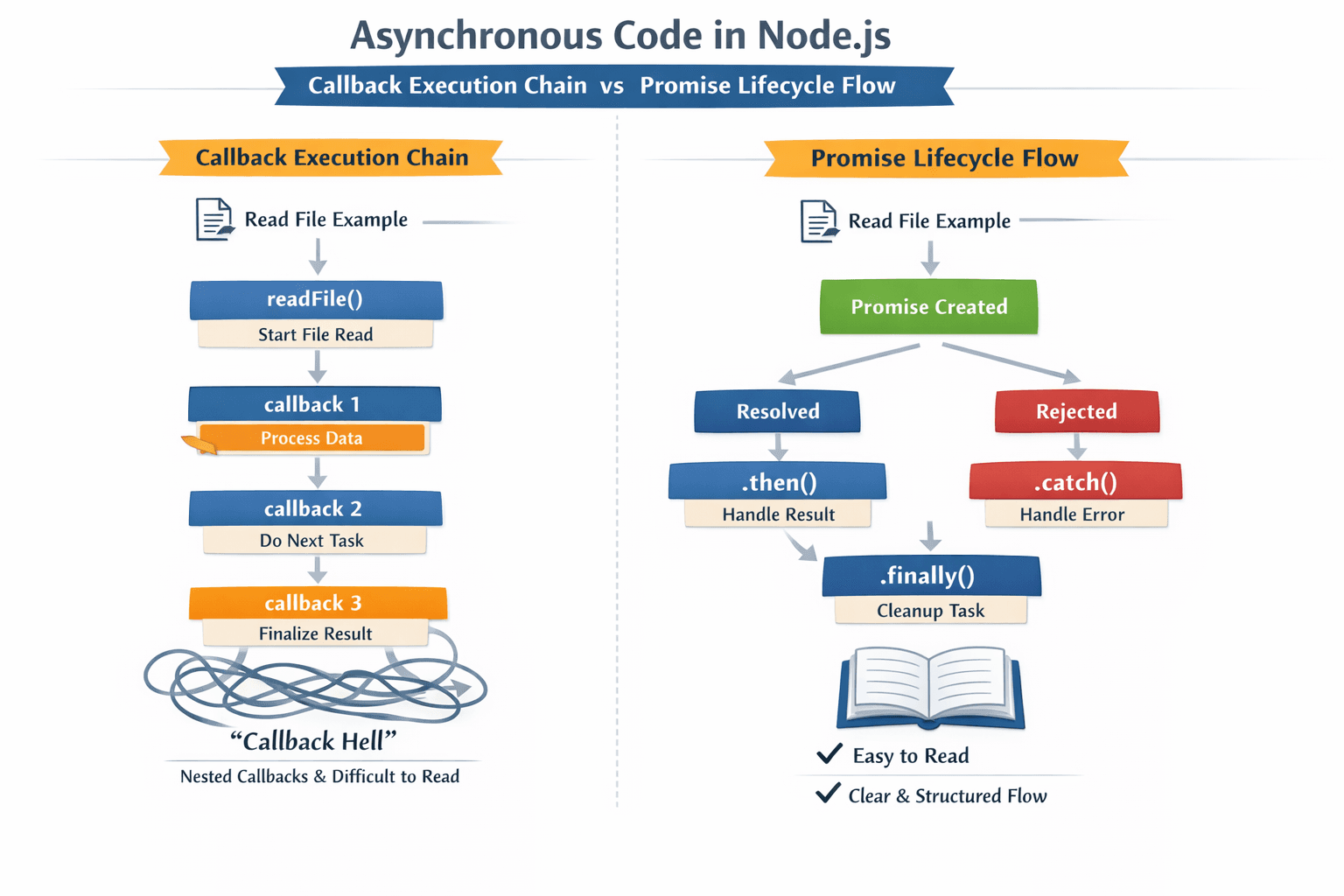
When an order needs waiting (boiling water, baking bread), chef doesn't stand there
Chef immediately says "I'll come back when it's ready" and starts next order
Kitchen assistants (background workers) handle actual waiting tasks
Chef constantly cycles through orders, doing only active work

The Event Loop: The Chef's Brain
The event loop is Node.js's secret sauce - it's the chef's mental checklist:
while (there are tasks to do) {
    1. Run all setTimeout/setInterval callbacks that are ready
    2. Run I/O operations that completed (file reads, network responses)
    3. Run setImmediate callbacks
    4. Handle closed connections (server.close events)
    5. If no more tasks, wait for new events
}
Delegating Tasks to Background Workers (libuv)
Node.js doesn't truly do everything itself - it delegates:
| Operation Type | Who Handles It | Example |
|---|---|---|
| JavaScript code | Main thread | Calculations, loops, condition checks |
| File system | Background thread pool | fs.readFile() |
| Network requests | OS kernel | Database queries, API calls |
| Timers | libuv internal | setTimeout() |
| Crypto | Background threads | crypto.pbkdf2() |
Handling Multiple Client Requests: Step-by-Step
// Three users request different things at the same time

app.get('/api/users', (req, res) => {
    // User 1: Read from database
    database.query('SELECT * FROM users', (err, result) => {
        res.json(result);  // Runs when DB responds
    });
});

app.get('/api/files/:name', (req, res) => {
    // User 2: Read a file
    fs.readFile(`./${req.params.name}`, (err, data) => {
        res.send(data);    // Runs when file is ready
    });
});

app.get('/api/compute', (req, res) => {
    // User 3: Heavy calculation
    let sum = 0;
    for(let i = 0; i < 1e9; i++) sum += i;  // ❌ Blocks everything!
    res.json({sum});
});
What happens:
t=0ms: User 1 request arrives → Main thread starts DB query, delegates to background → Immediately free
t=1ms: User 2 request arrives → Main thread starts file read, delegates to background → Immediately free
t=2ms: User 3 request arrives → Main thread runs blocking loop → All users wait 2 seconds 😢
t=500ms: DB responds → Main thread finishes User 1 request
t=800ms: File ready → Main thread finishes User 2 request
t=2000ms: Loop finishes → Main thread finishes User 3 request
Why Node.js Scales Well
✅ Low memory footprint: One thread doesn't need 8MB stack per connection (unlike Apache's thread-per-request model)
✅ No context switching overhead: OS doesn't constantly pause/resume many threads
✅ Handles 10,000+ concurrent connections: Nginx/Node.js model vs Apache's 500-1000 limit
✅ Predictable under load: Response time degrades gradually, not catastrophically
⚠️ The Critical Warning
NEVER block the event loop with synchronous code!
// DON'T DO THIS:
const data = fs.readFileSync('huge-file.txt');  // Blocks everything

// DO THIS INSTEAD:
fs.readFile('huge-file.txt', (err, data) => {
    // Non-blocking - other requests served during I/O
});
⚠️ The Critical Warning
NEVER block the event loop with synchronous code!
// DON'T DO THIS:
const data = fs.readFileSync('huge-file.txt');  // Blocks everything

// DO THIS INSTEAD:
fs.readFile('huge-file.txt', (err, data) => {
    // Non-blocking - other requests served during I/O
});
Conclusion
Node.js’s single-threaded, event-driven architecture allows it to handle multiple requests efficiently. By leveraging the event loop and background workers, it achieves high concurrency without the overhead of parallel threads. Like a skilled chef managing orders, Node.js delegates tasks smartly, ensuring scalability and responsiveness.