
JavaScript Modules: Import and Export Explained
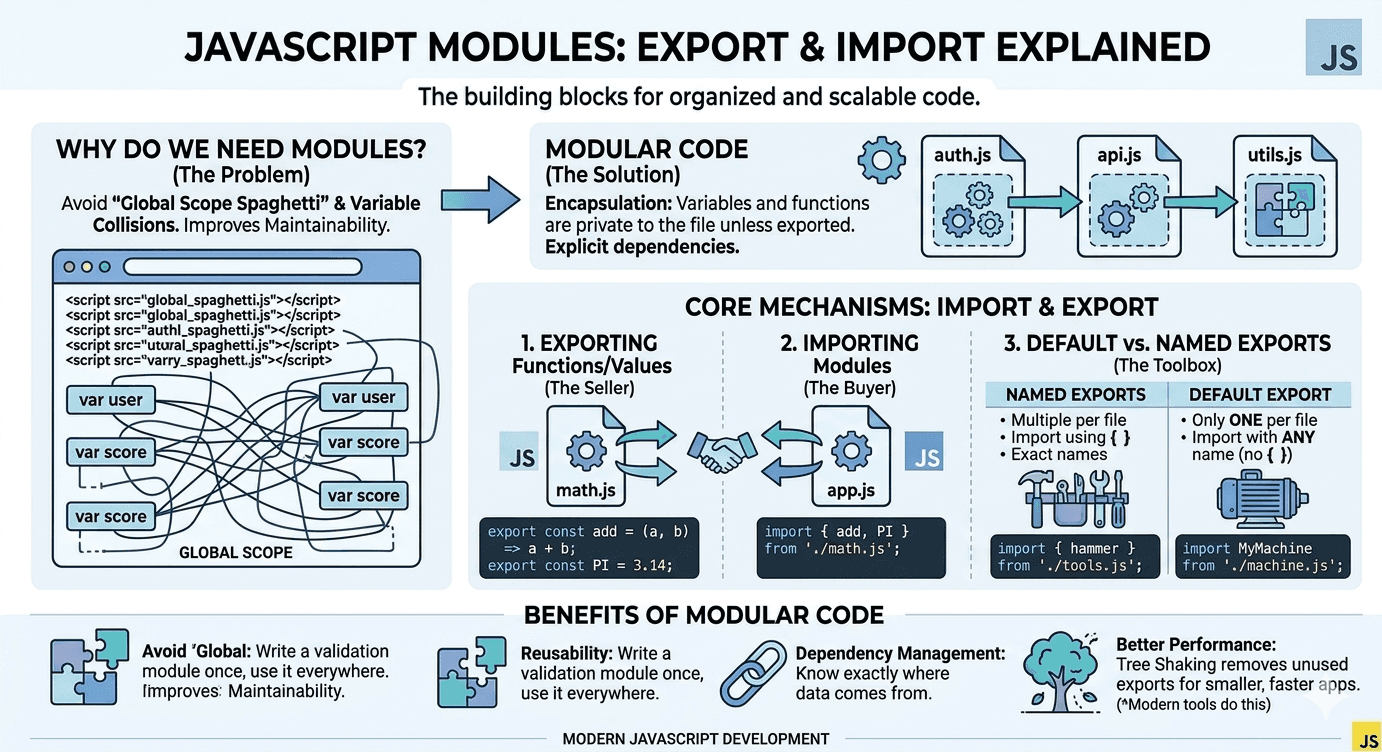
In modern development—especially within the MERN stack—modules are the building blocks of your application. They allow you to split your code into separate files, making it manageable and professional.
Why modules are needed
Before modules, all JavaScript code lived in one giant file or shared a single "global space." This caused two major problems:
Namespace Pollution: Two different scripts might use the same variable name (like
user), causing one to overwrite the other.Maintainability: Finding a specific bug in a 5,000-line file is nearly impossible. Modules let you organize code by feature (e.g.,
auth.js,api.js).

Exporting functions or values
To make a piece of code available to the rest of your app, you must "publish" it using the export keyword.
// math.js
export function add(a, b) {
  return a + b;
}

export const add = (a, b) => a + b;
export const multiply = (a, b) => a * b;

export const PI = 3.14;


// logger.js
export default function log(message) {
  console.log(message);
}
Importing modules
To use those functions in another file, you "request" them using the import keyword. You must provide the relative path to the file.
Importing Named Exports
import { add, PI } from './math.js';
Importing Default Export
import log from './logger.js';
You can also rename imports:
import { add as sum } from './math.js';
Default vs Named Exports
| Feature | Named Export | Default Export |
|---|---|---|
| Syntax | export { name } |
export default value |
| Import style | import { name } from '...' |
import name from '...' |
| Multiple exports | ✅ Yes | ❌ Only one per module |
| Use case | Shared utilities, constants | Main function or class of a module |
| Naming | Must match the exported name. | Can be named anything you want. |
Benefits of Modular Code
Improved readability: Each module has a clear purpose.
Better performance: Modern bundlers can optimize module loading.
Scoped variables: Avoids polluting the global namespace.
Team collaboration: Easier to assign and manage responsibilities