
Template Literals in JavaScript
The Problem - Traditional String Concatenation
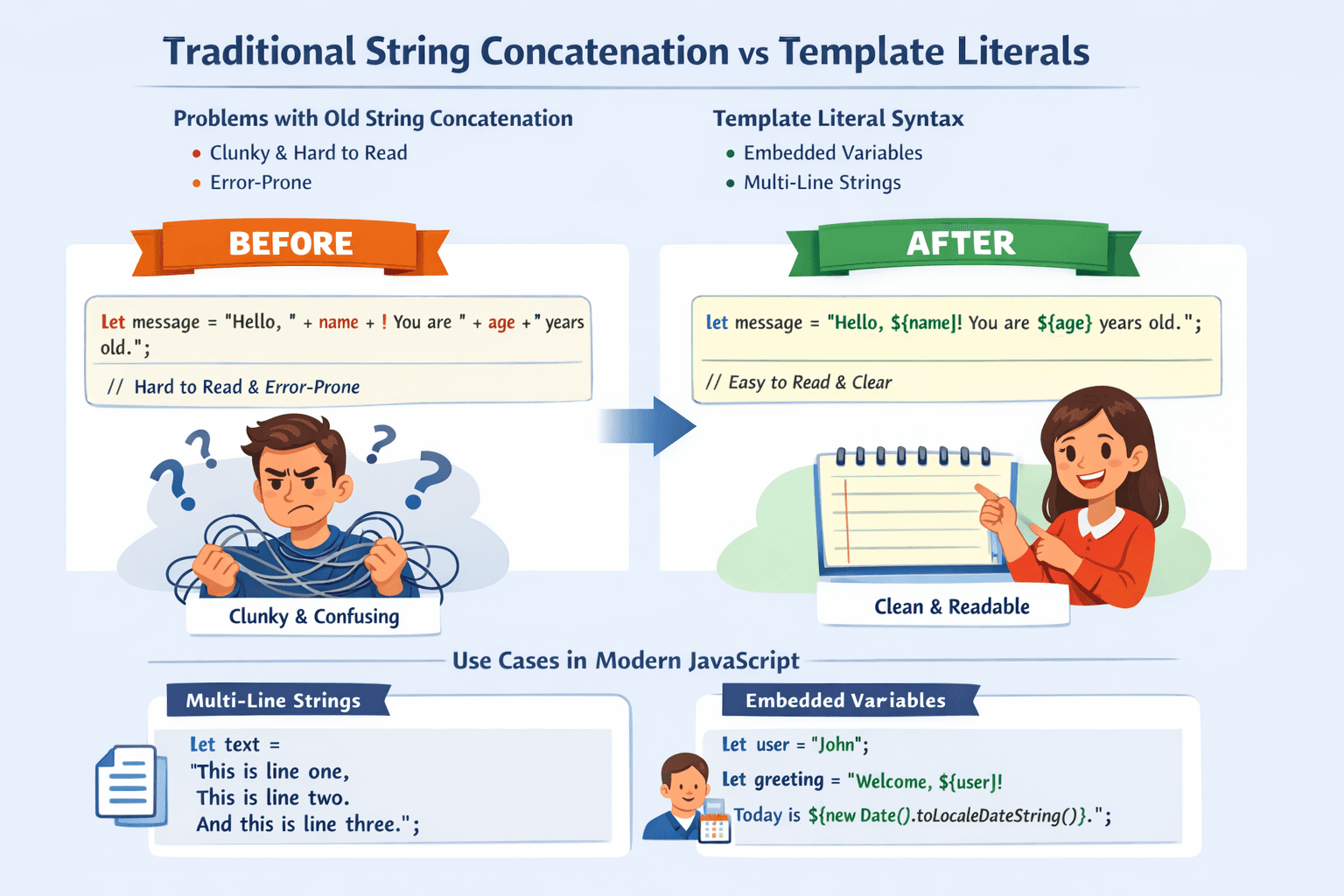
Before template literals (introduced in ES6, 2015), building strings with dynamic content was clunky and error-prone. Developers had to use the + operator to combine strings and variables.
const name = "Alice";
const age = 30;

// Old way: Using + operator
const message = "Hello, my name is " + name + " and I am " + age + " years old.";
console.log(message);
// Output: Hello, my name is Alice and I am 30 years old.
Issues:
Hard to read with multiple variables
Tedious for multi-line strings
Error-prone with quotes and spacing
The Multi-line Nightmare:
javascript
const oldMultiLine = "This is line one.\n" +
" This is line two.\n" +
" This is line three.";
console.log(oldMultiLine);
// Output:
// This is line one.
// This is line two.
// This is line three.
This is messy, and the indentation looks awkward. You have to manually manage the line breaks and spaces.
The Solution - Template Literal Syntax
Template literals solve these problems with a simple syntax change: backticks (`) instead of quotes (' or ").
// Old way with quotes
const oldWay = "I am a normal string";

// New way with template literals (backticks)
const newWay = `I am a template literal string`;

console.log(oldWay);
console.log(newWay);
That's it! Any string enclosed in backticks is a template literal. But the real power comes from what you can do inside them.
Embedding Variables and Expressions (String Interpolation)
The most important feature of template literals is string interpolation. Instead of using + to break the string apart, you use a placeholder: ${expression}.
Basic Variable Embedding:
const name = "Bob";
const age = 25;

// Template literal way - much cleaner!
const message = `Hello, my name is \({name} and I am \){age} years old.`;
console.log(message);
// Output: Hello, my name is Bob and I am 25 years old.
The ${} placeholder can contain any JavaScript expression, not just variable names. It will evaluate the expression and convert the result to a string.
const a = 10; const b = 5;

// You can do math directly inside the placeholder console.log(The sum of \({a} and \){b} is ${a + b}.); // Output: The sum of 10 and 5 is 15.

// You can call methods const username = "Alice"; console.log(Your capitalized name is: ${username.toUpperCase()}); // Output: Your capitalized name is: ALICE

// You can even use ternary operators const price = 9.99; console.log(This item is ${price > 10 ? 'expensive' : 'cheap'}.); // Output: This item is cheap.
This eliminates the need for temporary variables and makes the string-building logic inline and clear.
Multi-line Strings
This is where template literals truly shine. You can create multi-line strings simply by writing them across multiple lines in your code
javascript
const multiLineMessage = `This is line one.
This is line two.
This is line three.`;

console.log(multiLineMessage);
// Output:
// This is line one.
// This is line two.
// This is line three.
Building HTML Snippet
const itemName = "Coffee Mug";
const itemPrice = 12.99;

const htmlSnippet = `
<div class="product-card">
    <h3>${itemName}</h3>
    <p class="price">$${itemPrice}</p>
    <button>Add to Cart</button>
</div>
`;

console.log(htmlSnippet);
// Output: A nicely formatted, multi-line HTML string.
Template literals are a fundamental improvement in JavaScript that make working with strings cleaner, more intuitive, and less error-prone. They are a must-use feature in any modern codebase.