
The Kitchen That Taught Me JavaScript Promises
We have a restaurant and 1 person can handle all the work in the kitchen like:
chopping
masala
gravy
samosa
momo
fry
serving
Yogesh can do all the above jobs one by one. While doing chopping, he can't make samosa. He will be able to do it after finishing chopping.
He decided to outsource some work, to fulfill orders on time: chopping, samosa, and fry.
We can correlate this example with JS.
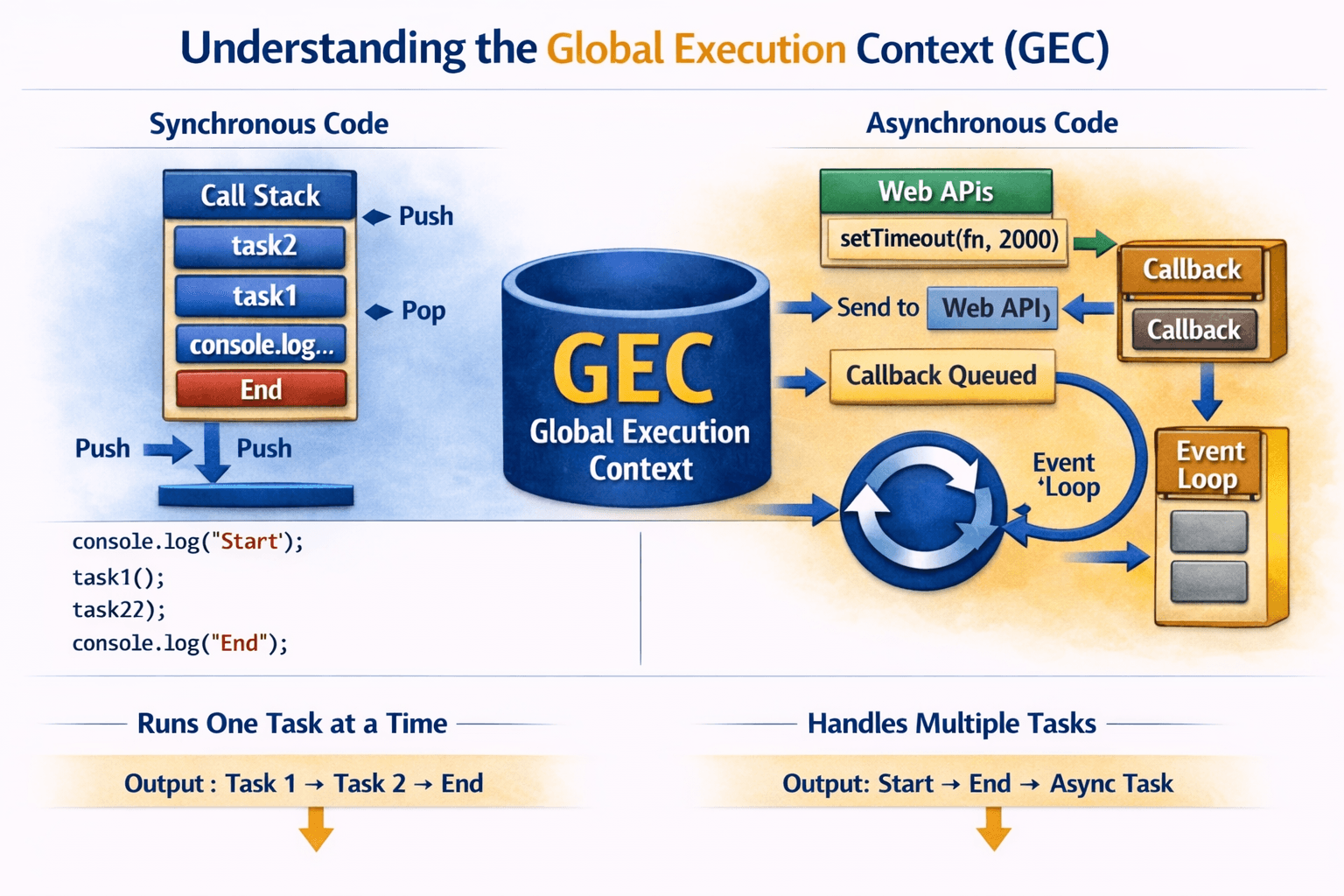
JS is a single-threaded language and it has outsourcing like one mechanism is a queue.
The restaurant is our call stack [main thread] which handles single-threaded tasks and the queue is the outsourced part.
All these things will be managed by our event loop (managerJi) - the event loop will decide which work will be done by the call stack and what has to be kept in the queue (outsourced).
Promise - Vachan
Promise has 3 states => fulfilled, Pending, Reject
const promise = new Promise()
console.log(promise)
You will get the error: TypeError: Promise resolver undefined is not a function
because promise expects a callback (resolve, reject).
Now I have written it with setTimeout but it doesn't work, it goes into pending state:
const promise = new Promise((res, rej) => {
  setTimeout(() => {
    res("Promise Message")
  }, 2000)
});
console.log("normal", promise);
If I try it with IIFE, it still gets the pending state:
(() => {
  console.log("IIFE", promise);
})();
// IIFE Promise { <pending> }
When I use setTimeout, it works, meaning it executes with delay. It's not best practice to use setTimeout everywhere, as I don't know the exact time when data will come from the API server [outsourced samosa from Zomato]:
setTimeout(() => {
  console.log("settimeout", promise);
}, 5000)
Promise says let me handle it my own way. Promise has its own method .then() to resolve it.
The value we insert in resolve, promise inserts that value in .then callback function:
promise.then((data) => {
  console.log("then", data);
})
// data has stored in callback function of promise resolve value
Same way we can write promise.then(console.log):
promise.then(console.log)
// result will be the same
It's .then's responsibility to show the result; you can call anything inside the .then method:
promise.then(myfuncName)
const promise = new Promise((res, rej) => {
  setTimeout(() => {
    rej(new Error("Rej Promise Message"))
  }, 2000)
});

promise.then(console.log)
Reject works to handle the error.
const promise = new Promise((res, rej) => {
  setTimeout(() => {
    res("Resolve message")
    rej(new Error("rej Promise Message"))
  }, 2000)
});
What will print now? Promise has resolved, resolve will return:
promise.then(
  (data) => console.log(data),
  (err) => console.log(err)
);
const promise = new Promise((res, rej) => {
  setTimeout(() => {
    //res("Resolve message")
    rej(new Error("rej Promise Message"))
  }, 2000)
});
What will print now? Promise has not resolved, error will fire:
promise.then(
  (data) => console.log(data),
  (err) => console.log(err)
)
What if I send reject first before resolve?
const promise = new Promise((res, rej) => {
  setTimeout(() => {
    rej(new Error("rej Promise Message"))
    res("Resolve message")
  }, 2000)
});
Error will fire:
promise.then(
  (data) => console.log(data),
  (err) => console.log(err)
)

// OR we can write error below, this is best way

promise.then(
  (data) => console.log(data),
).catch((err) => console.log(err))
We can use .then() many times as we want. The 2nd or next then only works when we explicitly return:
const promise = new Promise((res, rej) => {
  setTimeout(() => {
    res("Resolve message")
    rej(new Error("rej Promise Message"))
  }, 2000)
});

promise
.then((data) => {
  const capitalize = data.toUpperCase();
  return capitalize
})
.then((data) => {
  return data + ".com"
})
.then((data) => console.log(data))
.catch((err) => console.log(err))
Catch also works like then: return "Error" and pass to then (catch only executes when the promise is not resolved):
promise
.then((data) => {
  capitalize = data.toUpperCase();
  return capitalize
})
.then((data) => {
  return data + ".com"
})
.then(console.log)
.catch((err) => {
  console.log(err)
  return "Vachan Error "
})
.then(((errdata) => console.log(errdata)))
What does fetch work?
[fetch is part of webapi]
Returns a reference (promise) (const res = fetch(""));
Creates Object {
state = pending | resolve | reject
thenArray (resolve array, success array) [fn]
catchArray (reject array) [fn]
}OS => network call
Network call -> coordinate with server -> update the state -> thenArray [what I have to do here -> data insert to this function]
Methods of Promises
const turant = Promise.resolve("Turant, Instant");
turant.then(console.log)

const anyPromises = Promise.any([
  Promise.reject(new Error("any promise Reject")),
  Promise.resolve("Practice"),
  Promise.resolve("is"),
  Promise.resolve("Key"),
])
anyPromises.then(console.log)
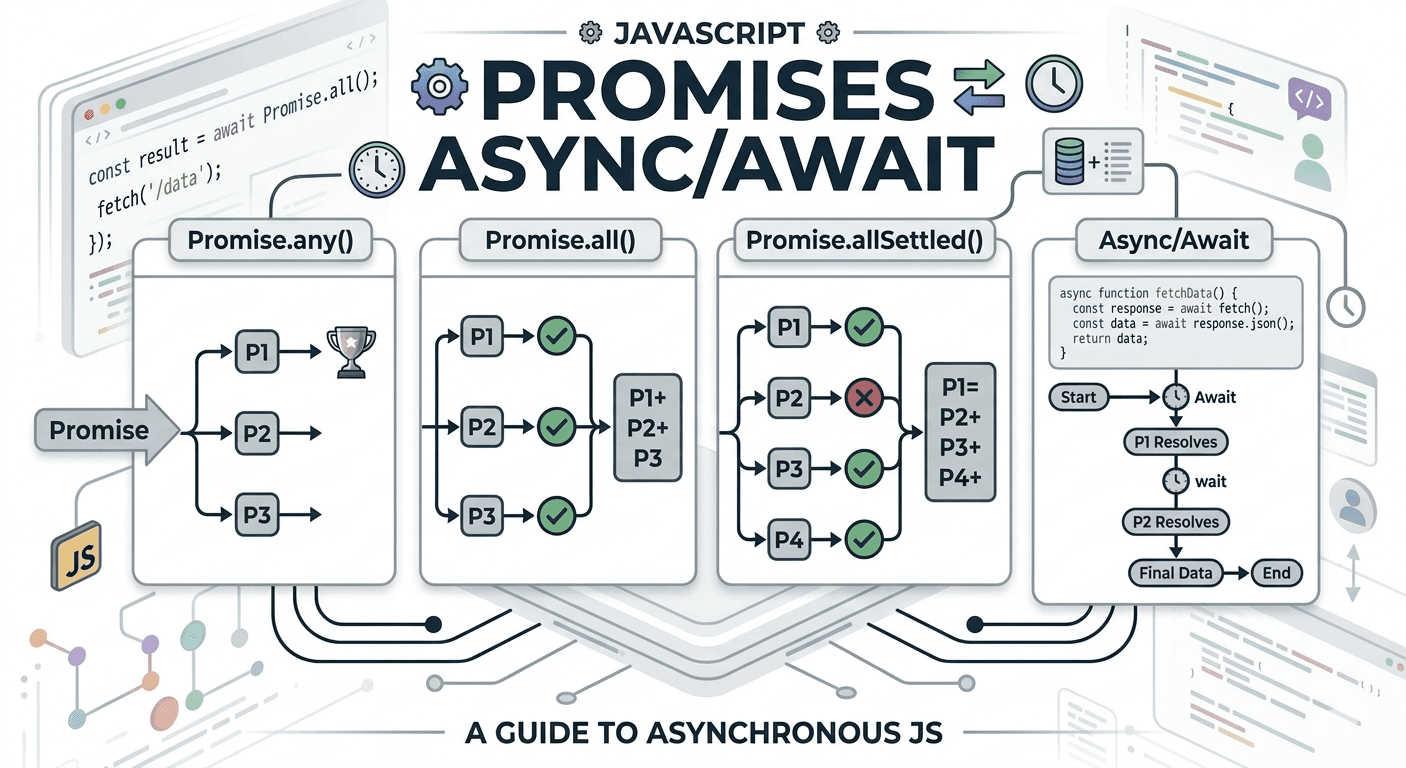
Promise.any
Accepts array data type.
It resolves when ANY promise fulfills; reject works when all promises fail.Promise.all works on resolve only [works only on good things], shows all fulfilled:
const allPromises = Promise.all([
  Promise.resolve("Practice"),
  Promise.resolve("is"),
  Promise.resolve("Key"),
])
allPromises.then(console.log)
- Promise.allSettled returns an array of objects with all the fulfilled promises with status and values. For reject, with status and error reason:
javascript
const allSettledPromises = Promise.allSettled([
  Promise.resolve("Practice"),
  Promise.resolve("is"),
  Promise.resolve("Key"),
  Promise.reject("allSettled promise Reject"),
])
allSettledPromises.then(console.log)
console.log("Person 1, Advait")
Promise.resolve("Person 2, Ambani ").then((v) => {
  console.log("microtask", v);
})
console.log("Person 3, Vihaan")
Why is "Person 2, Ambani" not executed after "First name"?
In the above code, the event loop [managerJi] executes:
Line 1: It's sync code, hence displays "Person 1, Advait".
Line 2: It's async code, hence parked in microtask Queue (anonymous function); it will not execute until all sync operations are done.
Line 3: It's sync, "Person 3, Vihaan" will execute.
After that, all sync operations are completed and the task queue is empty. The microtask queue will transfer the async anonymous function to the call stack and "Person 2, Ambani" will execute.