
Understanding Object-Oriented Programming in JavaScript
What Object-Oriented Programming (OOP) means?
Object-Oriented Programming (OOP) in JavaScript is used to organize code using objects, making the code more structured, reusable, and easier to maintain.
In large applications, writing everything as separate functions becomes messy. OOP allows you to group related data and functions together inside objects.
OOP allows us to control access to data.(Encapsulation)
OOP becomes useful when building large scalable systems, backend services, and complex frontend architectures.
JavaScript OOP is actually prototype-based and not class-based, even though we write classes
The "Syntactic Sugar" Reality
The class is Syntactic Sugar of JS
When you write class Person {} in JavaScript, the engine doesn't create a static class structure. Instead, it creates a function and attaches methods to its prototype property.
class Person {} console.log(typeof Person); // Output: "function"

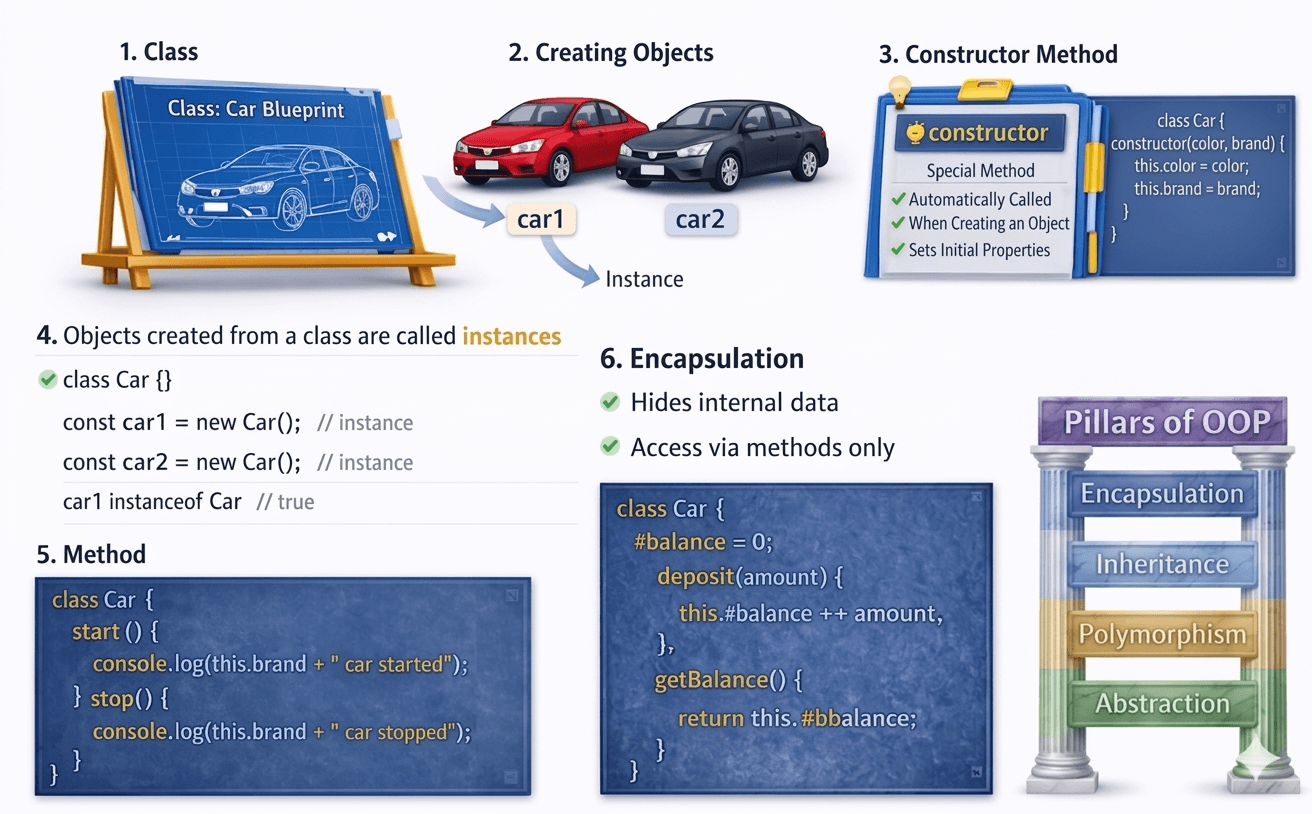
A real-world analogy for OOP is a car factory Think of Class as a blueprint and Objects as actual cars built from that blueprint.
What is a Class in JavaScript?
A class is like a blueprint or design of a car.
The blueprint defines:
what properties the car will have
what actions the car can perform
class Car {
}
Here Car is a class that will be used to create car objects.
Creating Objects Using Classes
Objects are instances of a class.
We create objects using the new keyword.
class Car {}

const car1 = new Car();
const car2 = new Car();
Constructor Method
A constructor is a special method that runs automatically when an object is created.
It is mainly used to initialize object properties.
Example:
class Car {
  constructor(color, brand) {
    this.color = color;
    this.brand = brand;
  }
}

const car1 = new Car("Red", "Toyota");
constructor() sets the initial values of the object.
Methods Inside a Class
Methods are functions defined inside a class.
They represent actions that objects can perform.
Example:
class Car {
  constructor(color, brand) {
    this.color = color;
    this.brand = brand;
  }

  start() {
    console.log(this.brand + " car started");
  }

  stop() {
    console.log(this.brand + " car stopped");
  }
}

const car1 = new Car("Red", "Toyota");

car1.start();
Basic Idea of Encapsulation
Encapsulation means hiding internal data and controlling access to it.
Instead of directly modifying properties, we use methods to interact with the data.
Example:
class BankAccount {
  #balance = 0;

  deposit(amount) {
    this.#balance += amount;
  }

  getBalance() {
    return this.#balance;
  }
}

const account = new BankAccount();

account.deposit(1000);
console.log(account.getBalance());
Here:
#balanceis privateIt cannot be accessed directly
it allow only using method
account.getBalance()
So encapsulation helps to:
protect data
control how data is used